Installing Happ (INCY) on iOS devices in Russia
The Happ and INCY apps have been removed from the Russian App Store.
To install them, you need to change your App Store region and then install the apps.
Open your account settings
On iPhone / iPad: open App Store → tap the profile icon → tap your account name → “Country/Region”. Sign in again if prompted. This path is shown in the screenshots below.
Or via Settings: your name → “Media & Purchases” (or “Content & Purchases”) → “View” → “Country/Region”.
On Mac: open Apple Music → “Account” → “Account Settings” → “Country/Region” or “Change Country or Region”.
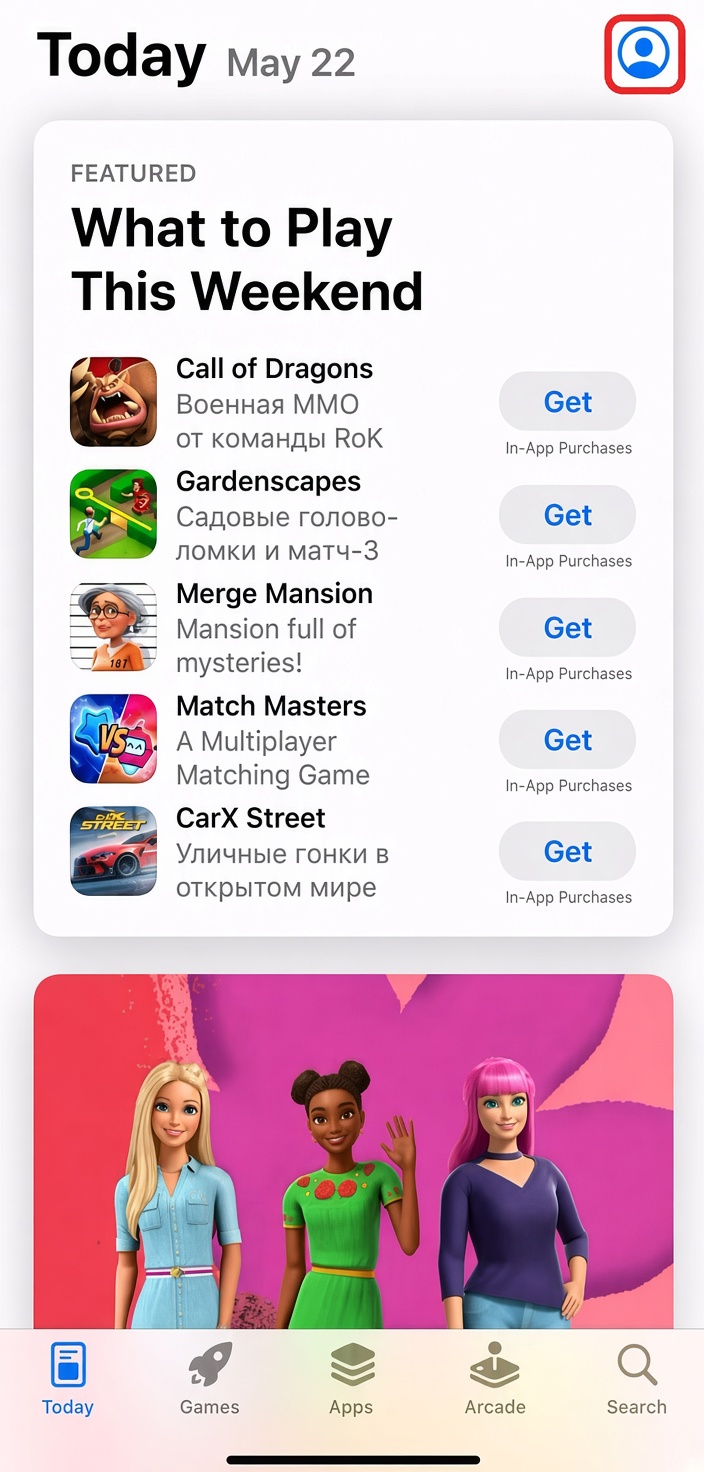
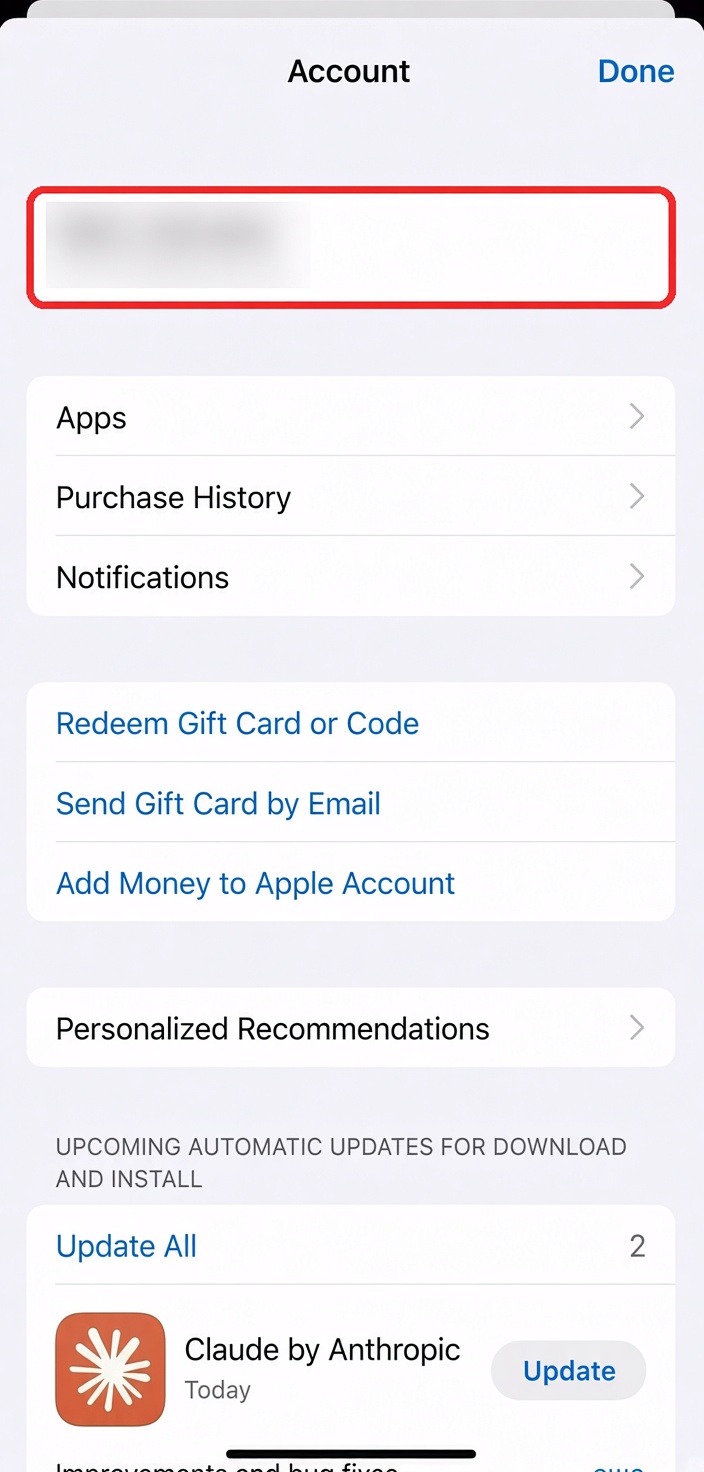
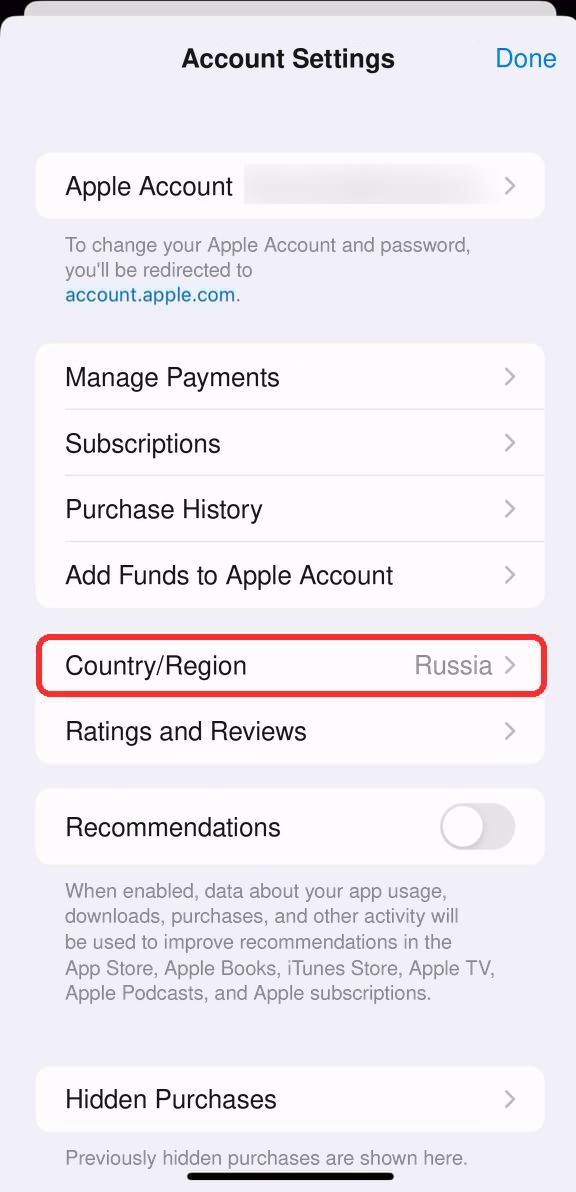
Choose Kazakhstan or Belarus
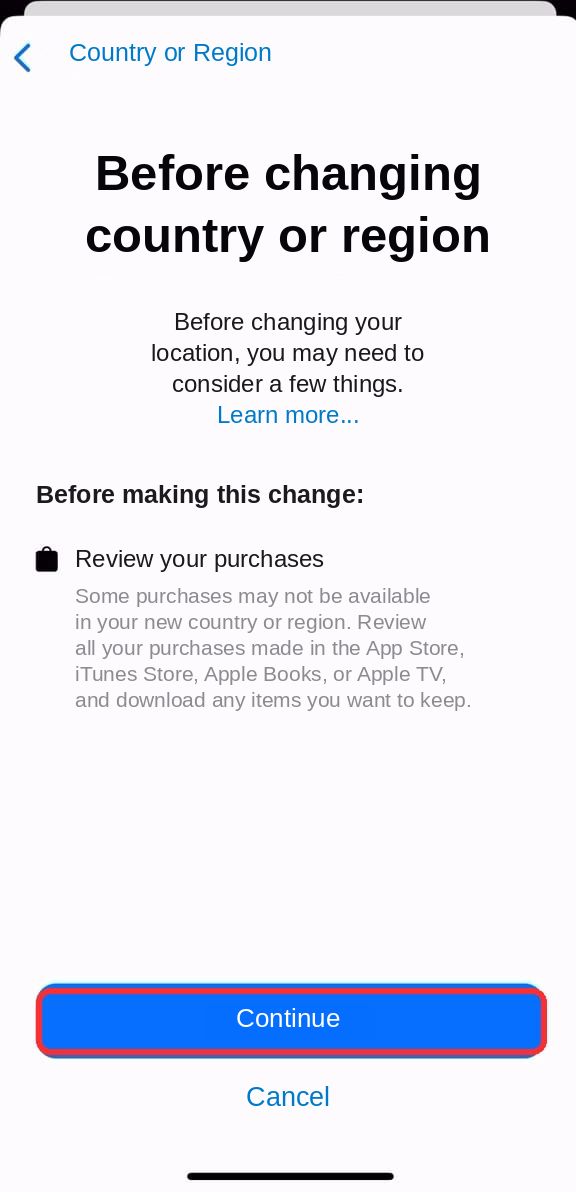
Tap “Change Country or Region” if it is shown, choose “Kazakhstan” or “Belarus”, and tap “Continue”.
The screenshots show Kazakhstan. For Belarus the steps are the same — choose “Belarus” in the country list.
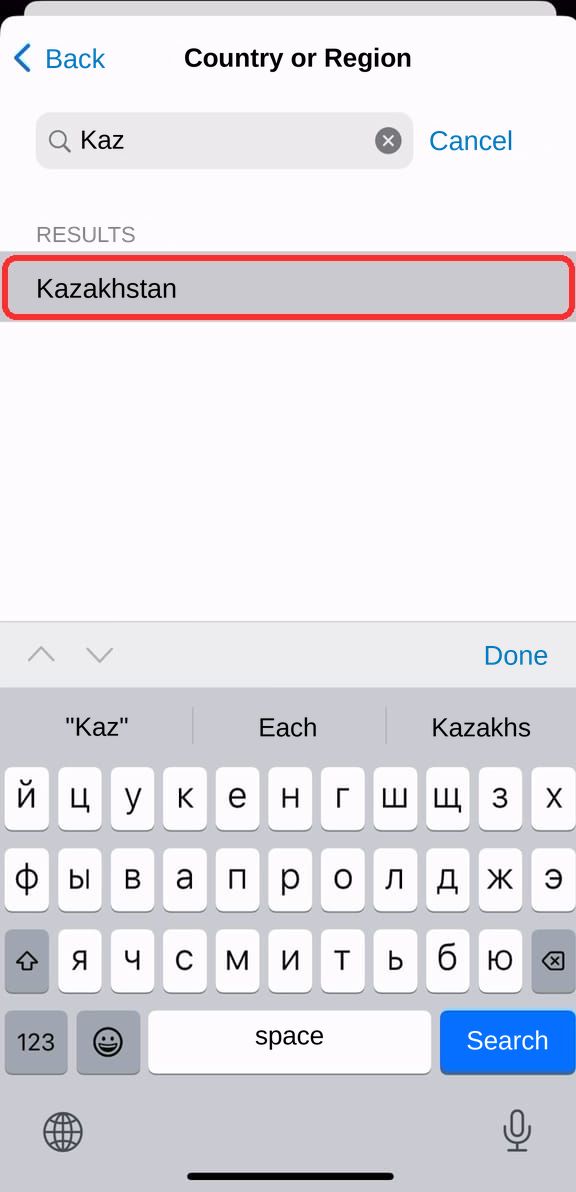
Accept the terms
Read the Apple terms and tap “Agree”.
Fill in your details
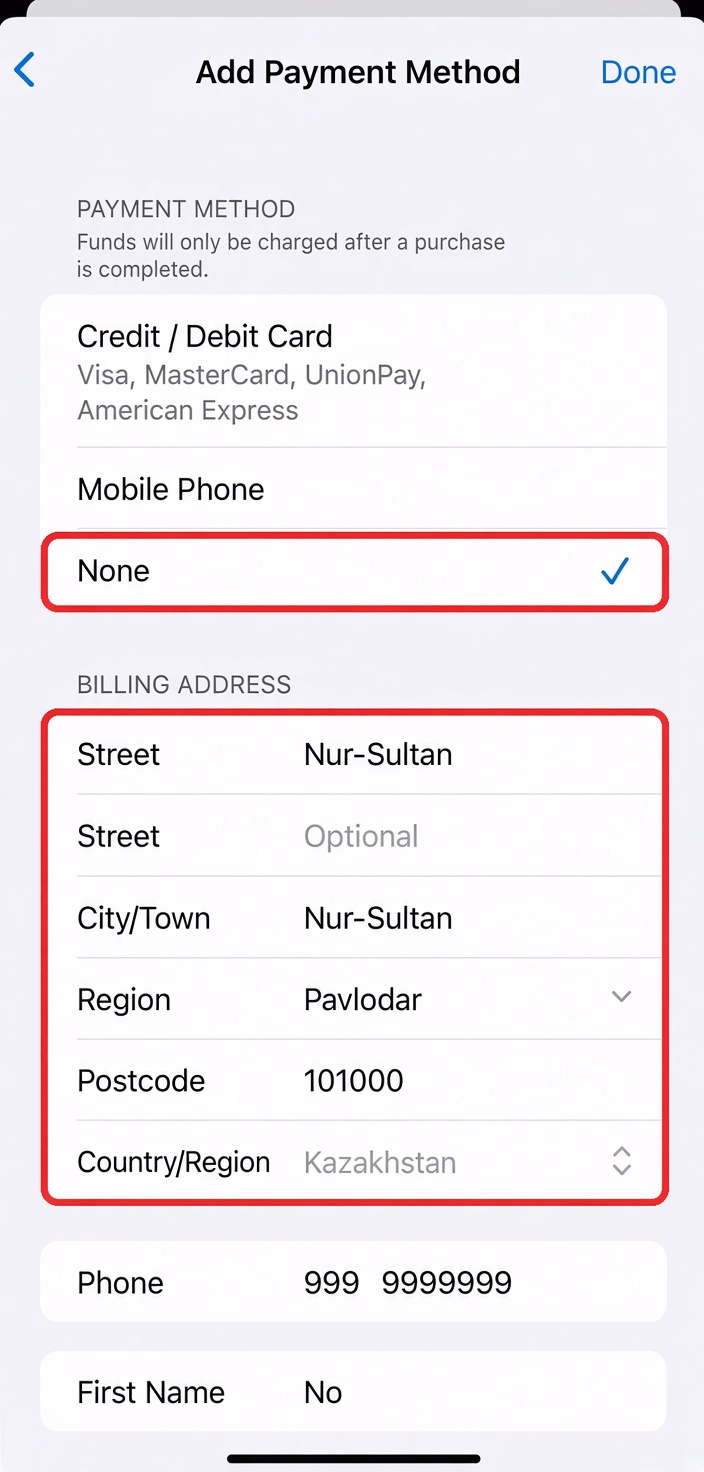
Enter the address and payment details for the selected country. If the payment method “None” is available, you can choose it. Save your changes with “Next” or “Done”.
Go to installation
Open the App Store again and install Happ or INCY.
If the region won’t change
Create an additional foreign Apple ID and sign in with that account in the App Store.